Examples
Each example is a real run of the skill on a fixture in examples/. Nothing here is mocked up.
Example 1
A todo app tour with zoom, a ⌘K palette and dark mode
YouMake a short demo of adding and completing a task in Orbit, then switching to dark mode with ⌘K. I need a GIF for the README and an MP4 for the changelog.
The bundled Orbit app recorded in one take: a task is typed in, the camera zooms in while another is ticked off, then the ⌘K palette switches the app to dark mode. One run writes both the MP4 and a full-palette GIF, plus the contact sheet the agent reads to check the take.
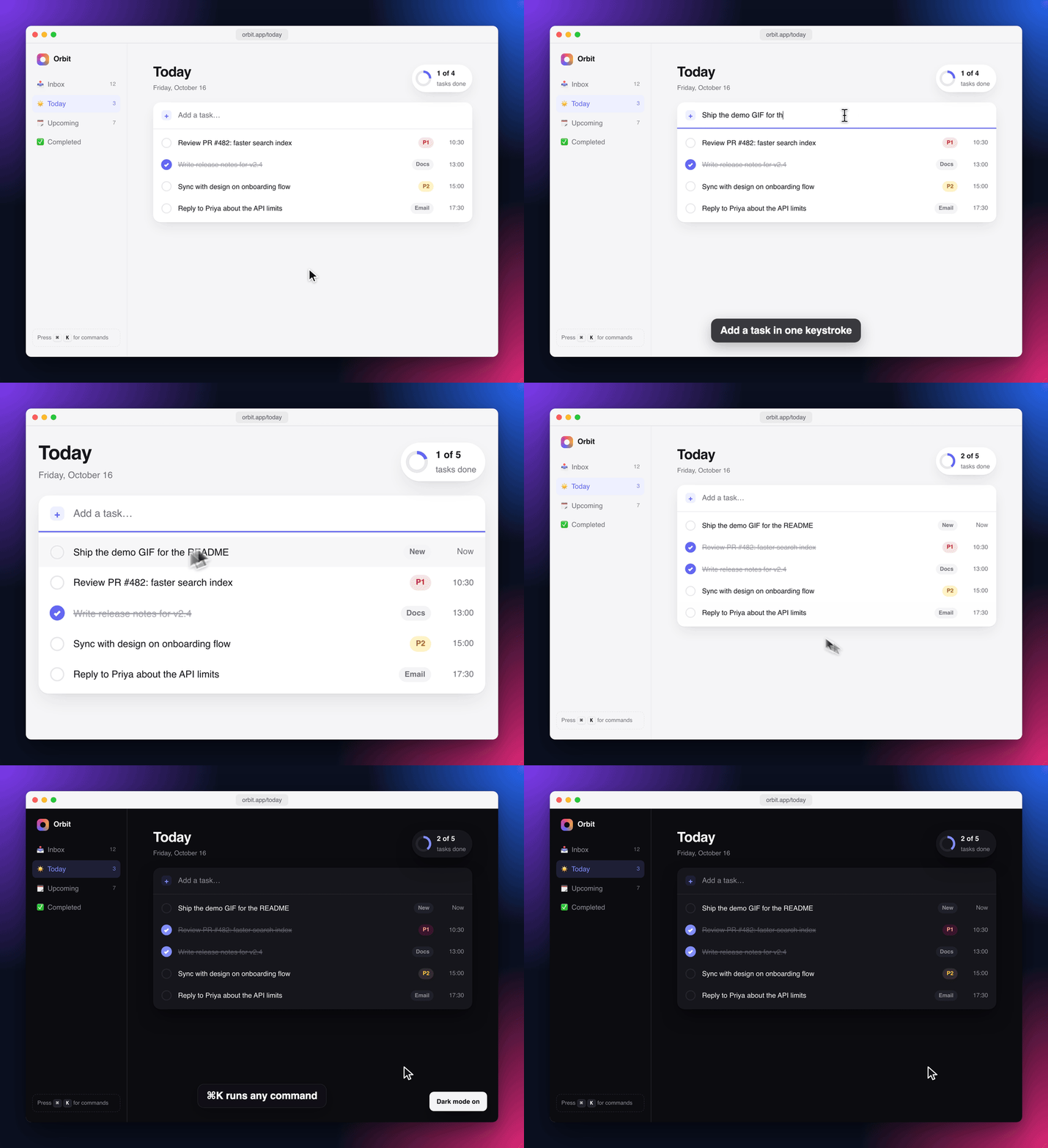
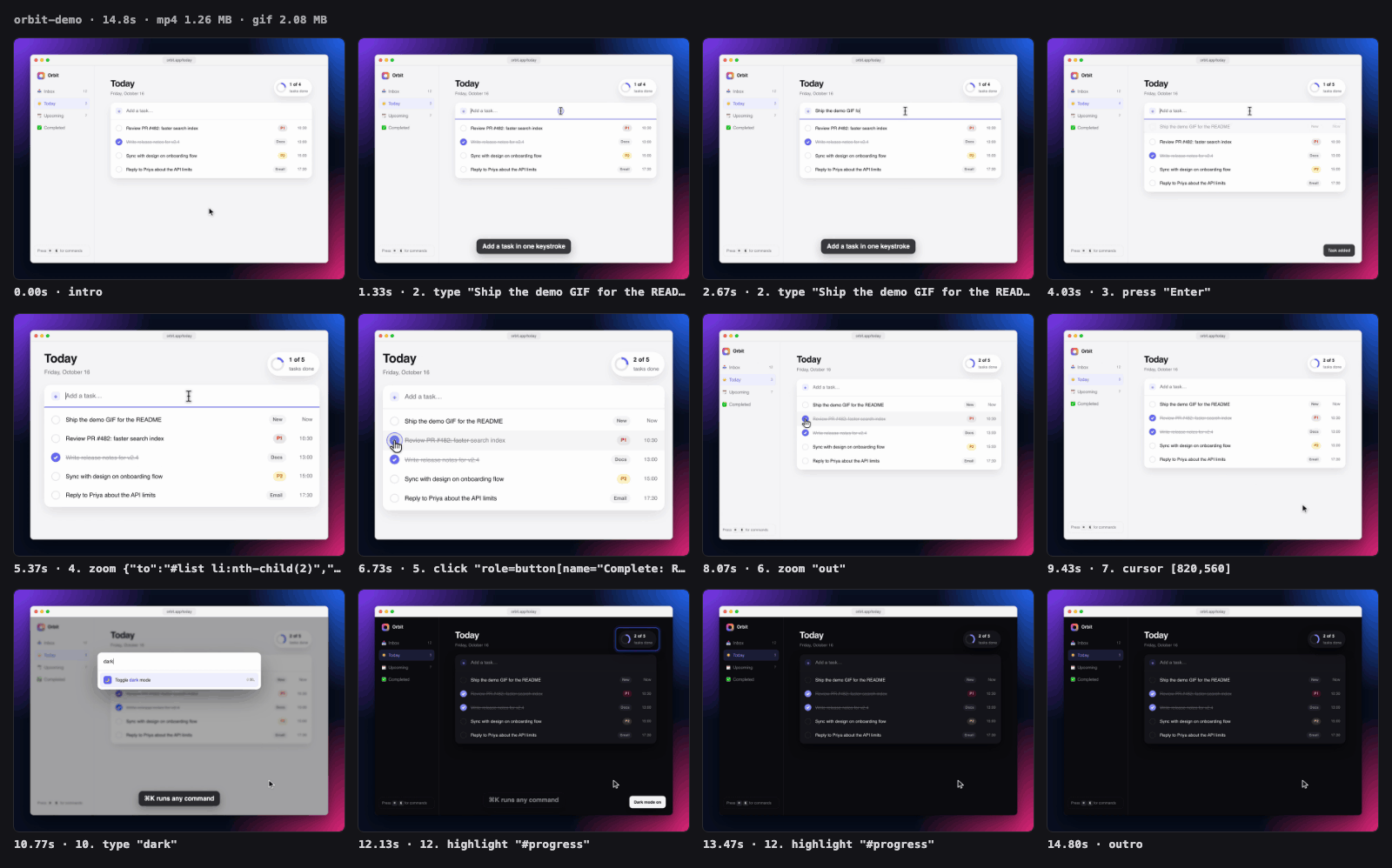
◆ [8/12] caption "⌘K runs any command"
◆ [9/12] press "Meta+K"
◆ [10/12] type "dark"
◆ [11/12] press "Enter"
◆ [12/12] highlight "#progress"
◆ Captured 444 frames (15.0s of timeline) in 20.5s, 109 unchanged frames reused
◆ Encoding MP4, GIF…
◆ Encoded in 4.1s
✓ MP4 → .knack/demo-recorder/orbit-demo.mp4 (1.26 MB, 14.8s)
✓ GIF → .knack/demo-recorder/orbit-demo.gif (2.08 MB, 14.8s)
✓ Legibility: typical text is 15px; shown ~11.6px at README width (880px), ~5.1px on a phone.
✓ Contact sheet (open this to review) → .knack/demo-recorder/orbit-demo-sheet.png
Example 2
⌘K search on a dark docs site, zoomed in for a changelog post
YouMake a short MP4 showing the new ⌘K search on our docs site for the changelog post on X.
A dark docs site for a fictional job-queue library. The clip opens search with ⌘K, zooms in on the palette while "backoff" filters the results, clicks the guide, and lands on the right section with the code sample highlighted. The caption and keystroke HUD are drawn in screen space, so they stay put at their normal size while the camera zooms in on the palette.
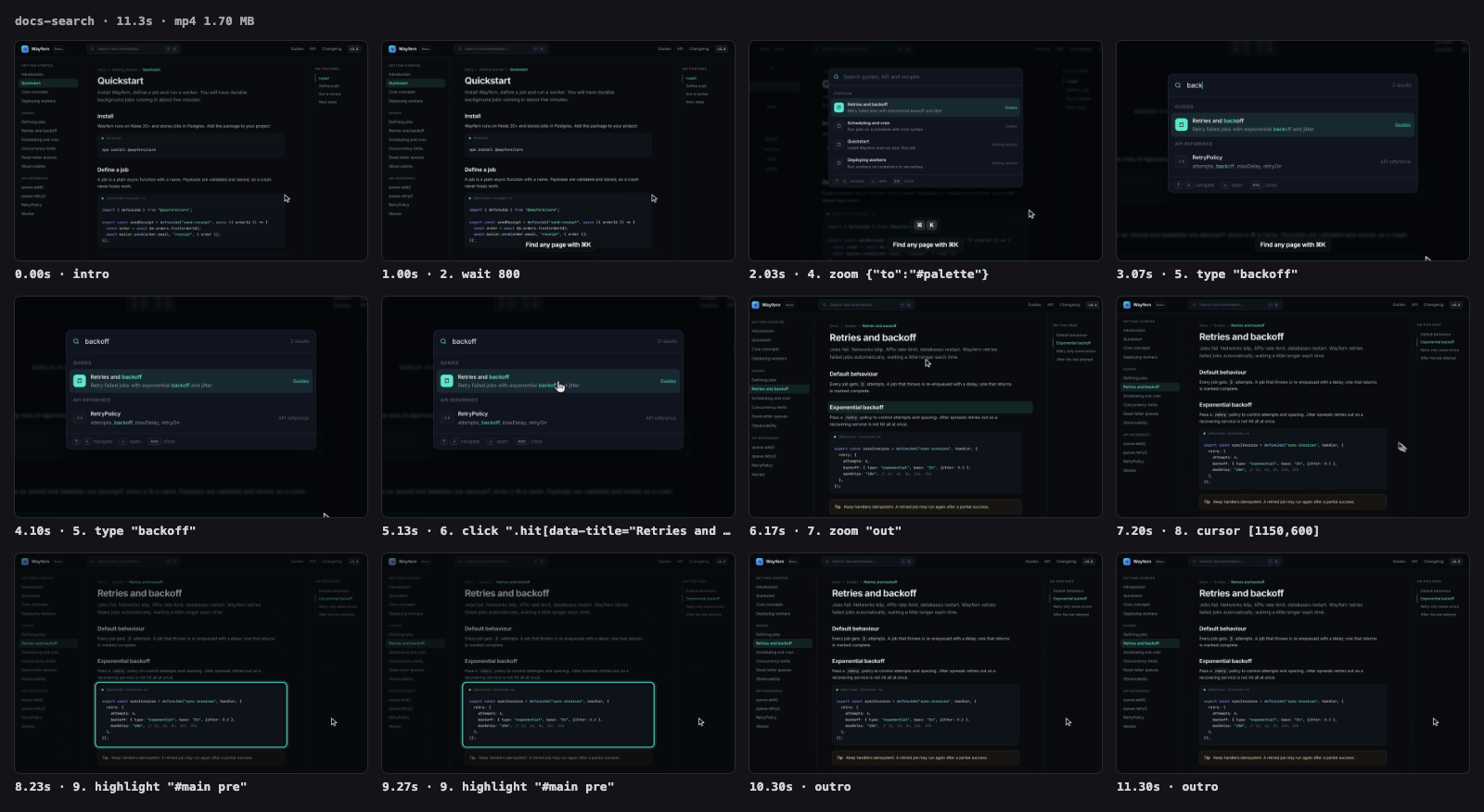
◆ [4/9] zoom {"to":"#palette"}
◆ [5/9] type "backoff"
◆ [6/9] click ".hit[data-title="Retries and backoff"]"
◆ [7/9] zoom "out"
◆ [8/9] cursor [1150,600]
◆ [9/9] highlight "#main pre"
◆ Captured 338 frames (11.4s of timeline) in 28.7s, 128 unchanged frames reused
◆ Encoding MP4…
◆ Encoded in 2.0s
✓ MP4 → .knack/demo-recorder/docs-search.mp4 (1.70 MB, 11.3s)
⚠ Legibility: typical text is 14px; shown ~9.6px at README width (880px), ~4.3px on a phone. Small: use a smaller viewport (e.g. 960x600) or zoom on the detail.
✓ Contact sheet (open this to review) → .knack/demo-recorder/docs-search-sheet.png
Example 3
A signup form as a small, framed README GIF
YouRecord a GIF of the signup flow for the README.
A SaaS signup screen filled with fake data: fields are tabbed through (the keystroke HUD shows each Tab), a team size is picked, the annual-billing switch updates the price, and the submit lands on the success state. Recorded in a window frame on the neutral mono background. The first GIF showed banding rings in the panel's orange radial gradient, so the fixture was changed to flat fills and the clip was recorded again.
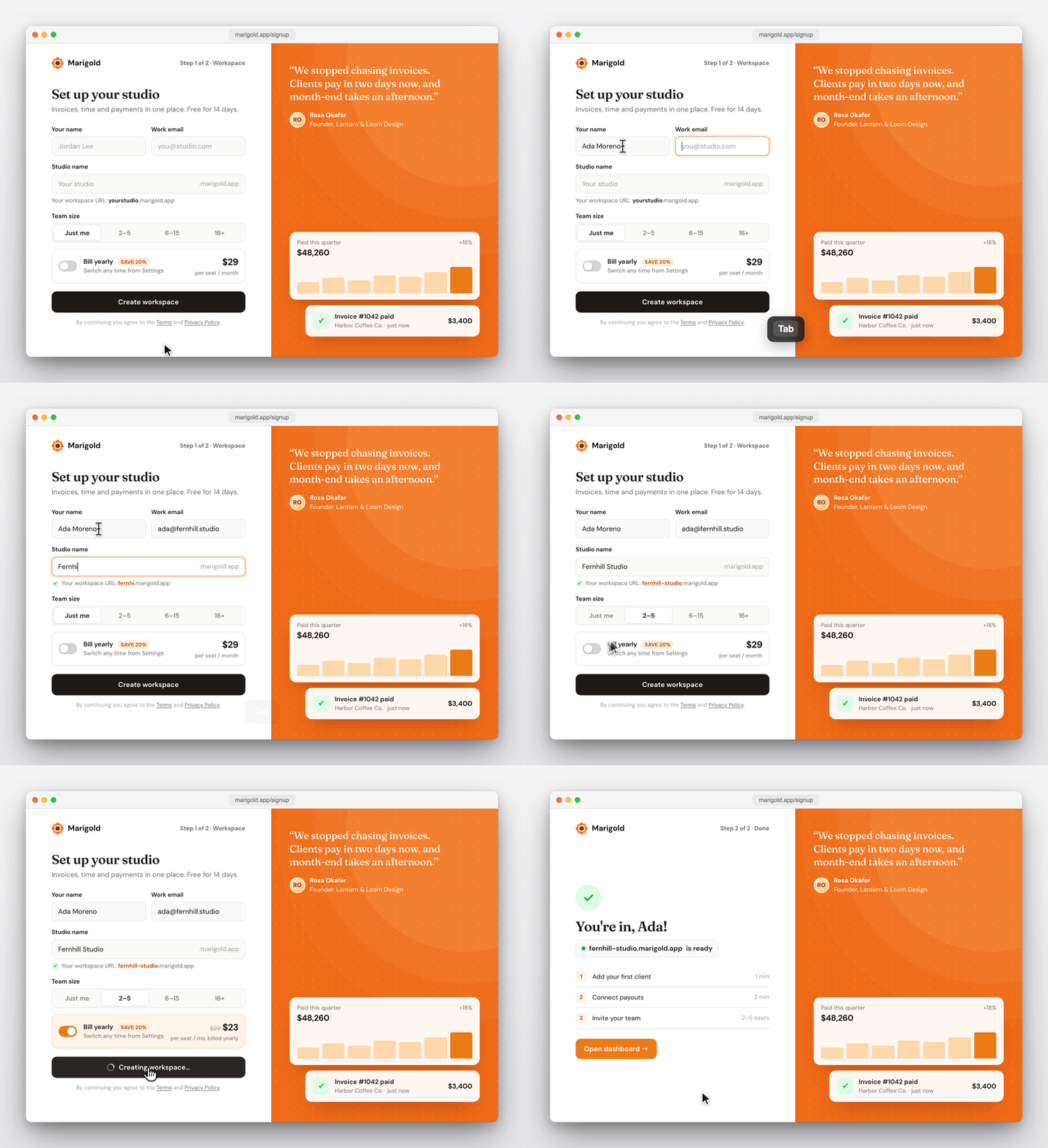
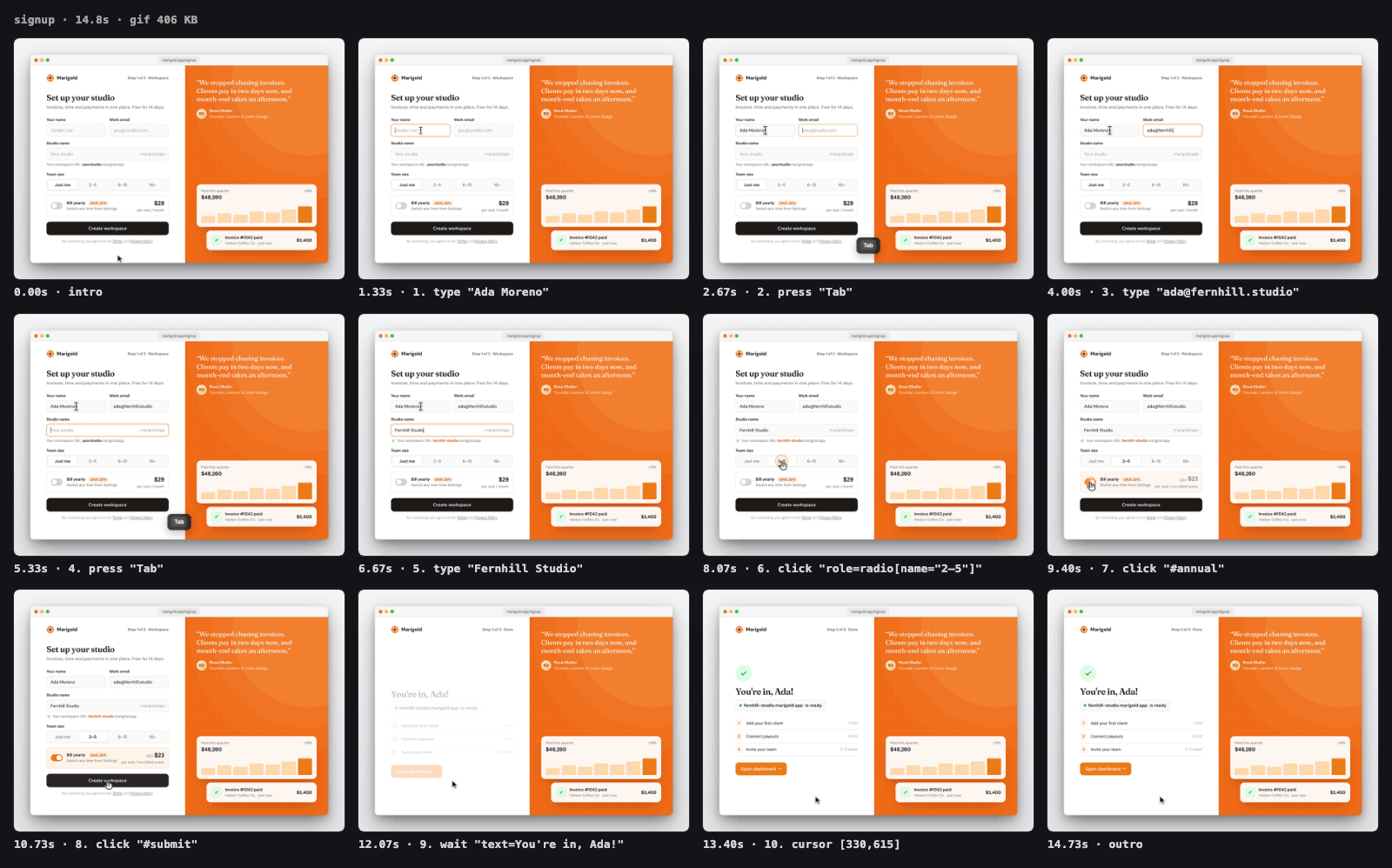
◆ [5/10] type "Fernhill Studio"
◆ [6/10] click "role=radio[name="2–5"]"
◆ [7/10] click "#annual"
◆ [8/10] click "#submit"
◆ [9/10] wait "text=You're in, Ada!"
◆ [10/10] cursor [330,615]
◆ Captured 443 frames (14.9s of timeline) in 16.5s, 145 unchanged frames reused
◆ Encoding GIF…
◆ Encoded in 2.0s
✓ GIF → .knack/demo-recorder/signup.gif (406 KB, 14.8s)
⚠ Legibility: typical text is 14px; shown ~10.8px at README width (880px), ~4.8px on a phone. Small: use a smaller viewport (e.g. 960x600), zoom on the detail or drop the window frame (--no-frame).
✓ Contact sheet (open this to review) → .knack/demo-recorder/signup-sheet.png
About this skill
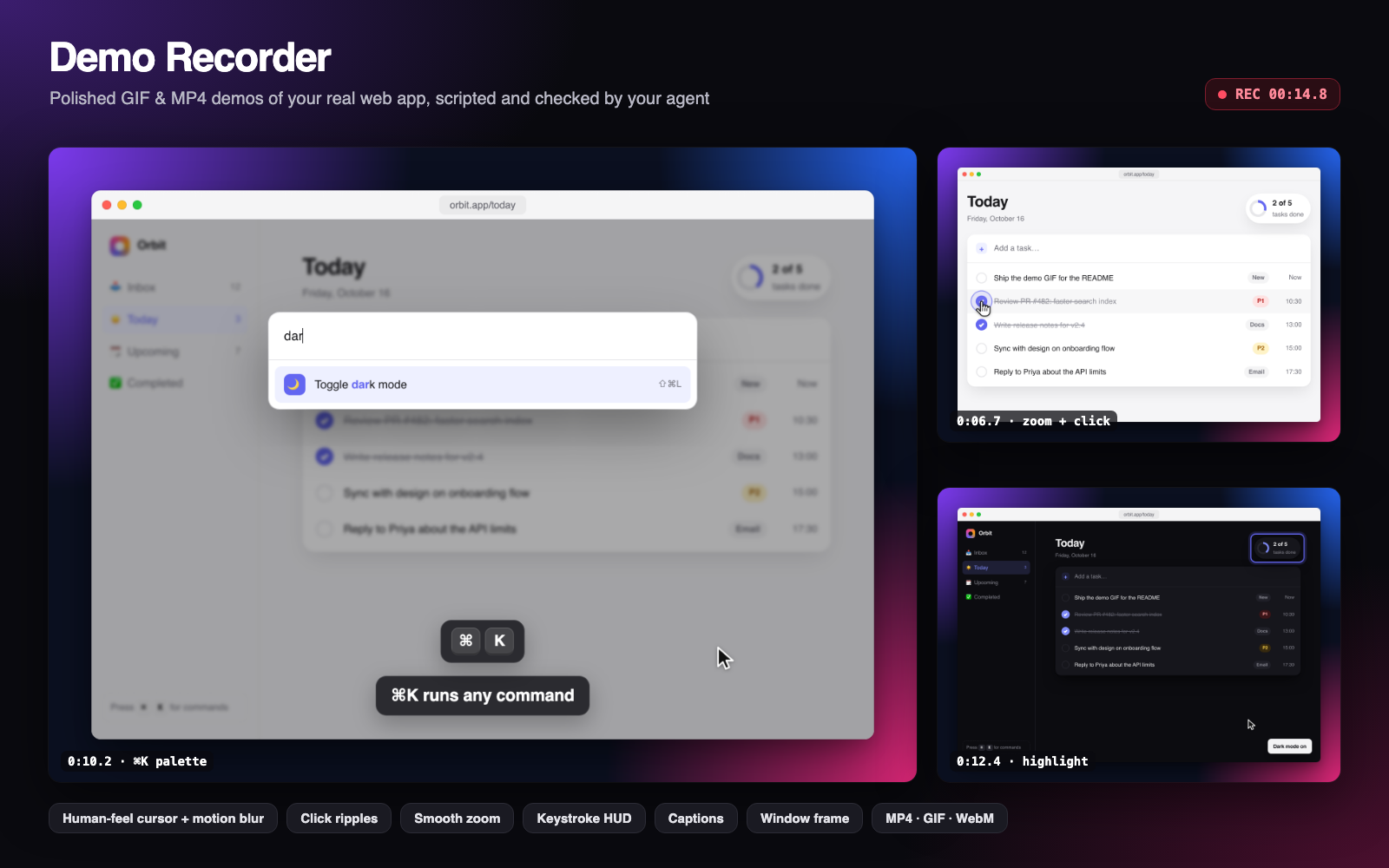
Ask your agent for "a GIF of the signup flow for the README" and get a crisp, smooth clip of your real, running app: an eased cursor that glides to each button, click ripples, keystrokes shown on screen, optional zoom and captions, wrapped in a tidy window frame.
Why
Screen-recording a feature by hand means re-takes, a jittery mouse, a messy desktop and a 40 MB GIF. Tools like Remotion make authored videos; they do not record your actual app. This skill lets the agent script the flow, check every step, record, and review the result itself before handing you a file that fits GitHub's limits.
- Retina-sharp and smooth. Time is virtualised, so every frame is captured at 2x with exact timing, even on a slow machine. No dropped frames, no soft VP8 blur.
- A cursor people can follow. Headless browsers have no cursor; the recorder draws one at a legible size with a human velocity profile (minimum-jerk, gentle landing), motion blur while it travels, hand/I-beam shapes, press feedback and ripples.
- Calm, framed zooms. Zoom fits the target, scales straight in about a fixed point (no
sideways slide) and settles softly. Captions and the keystroke HUD stay in screen space,
so a zoom never crops them.
--no-zoomgives a reduced-motion take. - Self-checking. A dry run screenshots every step; failures list similar elements with ready-to-paste selectors; every recording ends with a contact sheet the agent reads (1600 px, 256-colour PNG, about 100 to 150 KB for the bundled examples).
- Built for where demos go. MP4/WebM with BT.709 colour tags so brand colours match the page (mean ΔE 0.3 in Chrome, was 5.6), GIF with a full-clip palette (no speckled chrome or banded gradients), size warnings at 10 MB, a legibility estimate at README and phone width. Idle-trimming, speed-up and length caps included.
Example prompts
- "Record a GIF of the signup flow for the README."
- "Make a short MP4 showing the new ⌘K command palette for our changelog post on X."
- "Add a before/after clip of the settings page fix to this PR."
- "Capture a walkthrough of creating and sharing a dashboard, with captions, in dark mode."
- "Re-record docs/demos/invoice.flow.json, the button labels changed."
Try it
cd skills/demo-recorder
bash scripts/setup.sh                          # Playwright + Chromium, checks ffmpeg
node scripts/record.mjs examples/flow.json     # records the bundled Orbit demo app
You get .knack/demo-recorder/orbit-demo.mp4, orbit-demo.gif and orbit-demo-sheet.png
(a 15-second clip: typing a task, zooming in to complete one, opening the ⌘K palette and
switching to dark mode). About 30 seconds on an M-series Mac; MP4 ≈ 1.3 MB, GIF ≈ 2.1 MB.
Other entry points:
node scripts/record.mjs examples/flow.json --dry-run     # per-step screenshots, no video
node scripts/inspect.mjs --find-server                   # which localhost ports are serving
node scripts/inspect.mjs http://localhost:3000           # selectors + annotated screenshot
node scripts/record.mjs --help                           # every flag
Examples
Three real recordings, with their fixtures, flows and contact sheets, in examples/
(outputs under examples/output/, manifest in examples/examples.json):
- Orbit todo app: typing, zoom, ⌘K palette and dark mode; one take to MP4 + GIF
(
examples/flow.json). - Docs search: ⌘K search on a dark docs site, zoomed in on the palette; 1280×800 MP4
for a changelog post (
examples/docs-search.flow.json). - Signup form: tabbing through fields with the keystroke HUD, a switch and a success
state; 406 KB framed GIF for a README (
examples/signup.flow.json).
How a flow looks
{
  "url": "http://localhost:3000",
  "viewport": "1024x680",
  "format": ["gif", "mp4"],
  "frame": true,
  "steps": [
    { "click": "role=button[name=\"New project\"]" },
    { "type": "Q4 launch plan", "into": "#project-name" },
    { "press": "Enter" },
    { "wait": "text=Project created" },
    { "highlight": ".project-card", "duration": 1200 }
  ]
}
Full reference: references/flow-format.md.
Requirements
- Node.js 18+
- ffmpeg (
brew install ffmpeg,apt-get install ffmpeg,winget install Gyan.FFmpeg) - Chromium via Playwright (installed by
setup.sh; falls back to installed Chrome or Edge) - A running web app (any framework, or a static HTML file)
No network calls beyond loading the page you record. Output stays in ./.knack/demo-recorder/.
Limitations
- Pages driven by
<video>or real-time WebGL can misbehave under virtual time; use--realtimefor those. - Native
<select>menus, browser dialogs and file pickers are not drawn. - Chromium only; one tab per recording.